Reporting a Deer Through New Hampshire’s App
Remember those days of dragging your hard-earned buck out of the woods, often in the dark, then rushing to a registration station before it closed, feeling the pressure mount after a long day afield? Or perhaps you've been caught by the confusion of New Hampshire's In-Person Registration Blackout Days, unsure if you could legally register your deer. That added stress could really dampen the celebratory moment of a successful hunt. Thankfully, the New Hampshire Fish and Game Department has embraced modern technology to simplify this crucial step. This comprehensive guide will walk you through everything you need to know about reporting your deer through New Hampshire's official mobile application, ensuring your post-harvest process is as smooth and straightforward as possible.
Why the App is a Game Changer for New Hampshire Hunters
For years, registering a deer in New Hampshire often meant a trip to a general store, a Fish and Game check station, or an authorized agent. While these methods still exist and serve their purpose, they often came with logistical challenges, especially for those hunting remote areas or during peak registration times. The official New Hampshire Fish and Game app has revolutionized this process, bringing unprecedented convenience right to your fingertips. It’s more than just a reporting tool; it’s a digital assistant designed to ease the burden on hunters across the Granite State.
The End of the Blackout Rush
One of the most significant frustrations for New Hampshire hunters, particularly those participating in the Muzzleloader or Firearms seasons, has always been the "blackout days" when online registration wasn't available, forcing a trip to a physical station. It meant a careful dance around specific dates and locations, adding a layer of complexity to an already exciting, yet demanding, experience. You could find yourself facing a long drive or a closed station if you weren't meticulously organized.
With the advent of the mobile app, those blackout day anxieties are largely a thing of the past for deer reporting. The app offers a continuous, reliable channel for submitting your harvest information, removing the arbitrary scheduling constraints that used to plague hunters. This means less time worrying about where and when to register, and more time enjoying the moments after a successful hunt. Whether you're miles deep in the White Mountain National Forest or on a private woodlot closer to home, if you have cell service, you can complete your report, simplifying the process immensely. It’s a huge relief for anyone who's ever felt the pressure of a looming registration deadline after a demanding hunt.
Accessibility Anywhere, Anytime
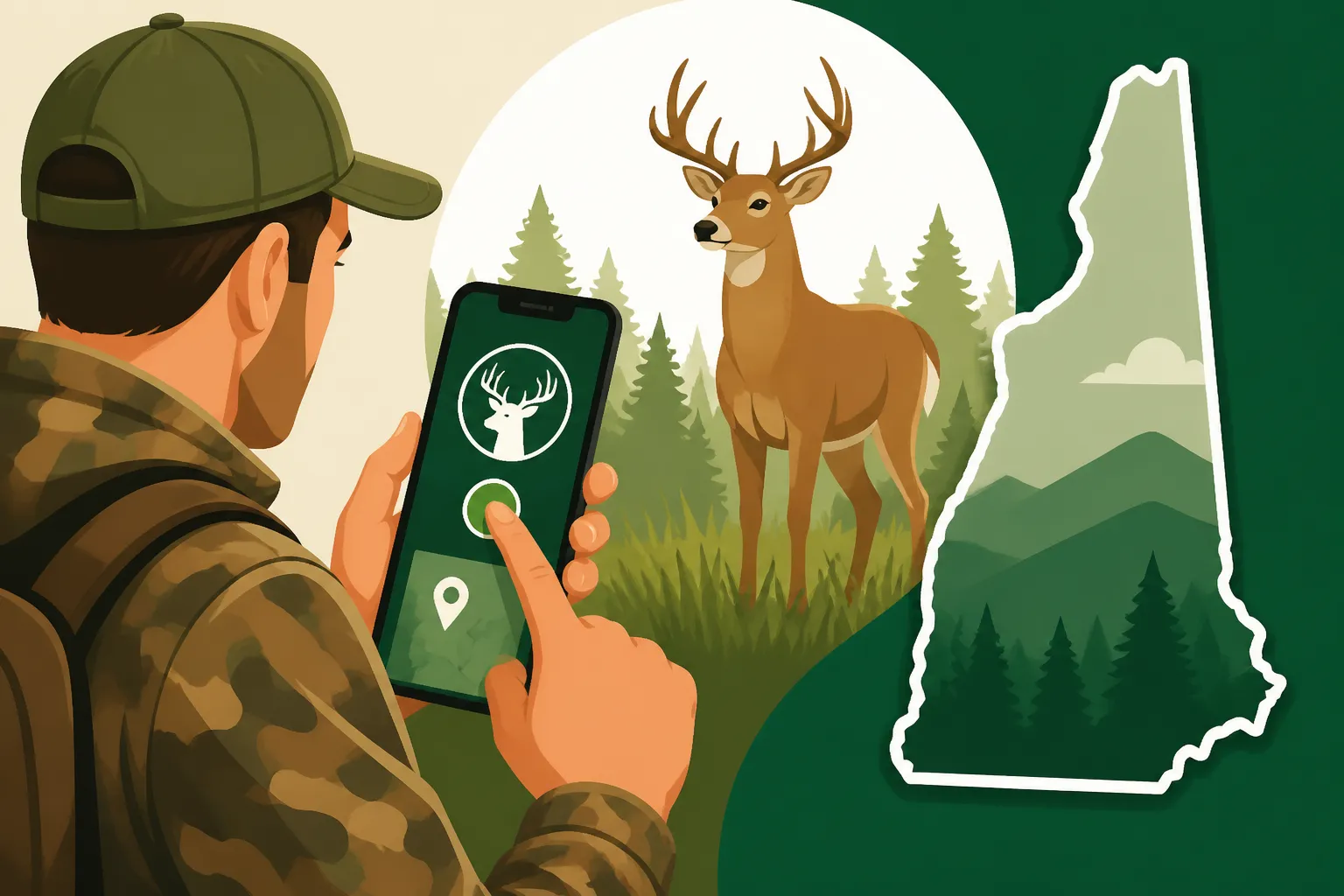
Imagine this: You've just harvested a beautiful buck deep in the North Country. Your adrenaline is pumping, the light is fading, and you're already planning the arduous drag back to the truck. The last thing you want to do is navigate winding back roads to find an open registration station before it closes. The beauty of the NH Fish and Game app is its unparalleled accessibility. As long as you have a signal, or can get to one shortly after your harvest, you can complete the entire registration process right from your smartphone.
This "anywhere, anytime" capability is truly transformative. It allows you to focus on the immediate tasks of field dressing your deer and getting it out of the woods, knowing that the official reporting can be handled efficiently when you're ready. This is particularly valuable for hunters who venture into less populated areas, reducing travel time and hassle significantly. It’s about fitting the registration into your schedule, rather than fitting your schedule around the registration station's hours. For hunters who value efficiency and seamless transitions from hunt to processing, this feature is an absolute godsend.
Step-by-Step Guide to Reporting Your Deer
Using the New Hampshire Fish and Game app for deer registration is remarkably user-friendly, but like any new technology, a little preparation goes a long way. Understanding the process from start to finish will ensure you’re ready when the moment comes, making the experience stress-free. It's not just about clicking buttons; it's about knowing what information you'll need and how to best prepare.
Before You Head Out: App Setup
Before you even step foot in the woods, the most crucial step is to download and familiarize yourself with the official New Hampshire Fish and Game mobile app. You can find it on both the Apple App Store and Google Play Store. Once downloaded, you'll want to create an account or log in using your existing NH Fish and Game credentials. This usually involves linking your hunting license information. Double-check that your license is active and that all your personal details are correct. Some hunters even keep a backup copy of their license details on their phone, just in case.
It’s also wise to explore the app's features beyond just deer reporting. Many modern hunting apps, including the NH Fish and Game app and others like GoHunt, offer valuable mapping, regulation lookup, and other scouting tools. Familiarizing yourself with these can enhance your overall hunting experience. Make sure the app is updated to its latest version, as updates often include bug fixes, performance improvements, and sometimes new features. Lastly, confirm that your phone's location services are enabled for the app, as this can be helpful for accurate harvest location data. A little preparation now saves a lot of headaches later, especially if you're out there during Hunting New Hampshire's Archery Season Into December.
Field Tagging and Initial Data Collection
Even with the convenience of app reporting, the legal requirement to physically tag your deer immediately after harvest remains paramount. This is non-negotiable. Your paper tag, typically attached to your license, must be filled out completely and securely affixed to the deer before you move it from the kill site. This includes the date of kill, the Wildlife Management Unit (WMU) where it was harvested, and your name and license number. This physical tag is your initial proof of legal possession and is critical for compliance.
Once the deer is tagged, the app comes into play for recording more detailed information. You'll need to accurately note the date and time of kill, the specific WMU, and the sex of the deer (buck, doe, or fawn). For bucks, you'll also need to count the number of antler points, 3 inches or longer, on each side. The app will prompt you for this information, ensuring you don't miss any critical fields. It's often easier to gather this information while the deer is still fresh and undisturbed at the kill site, or shortly after field dressing. Don't rely solely on memory; jotting down notes on a small pad or even snapping a quick photo (for personal reference, not for submission) can help ensure accuracy when you go to enter the data. This careful attention to detail aligns with the New Hampshire Deer Reporting Requirements.
Submitting Your Harvest Report
With your deer properly tagged and all the necessary information at hand, you're ready to submit your report through the app. Navigate to the "Report a Harvest" or similar section within the app. You'll be guided through a series of fields to input the data you collected. This typically includes:
- Your License Number: Essential for identifying you as the hunter.
- Date and Time of Kill: Specific to the moment of harvest.
- Wildlife Management Unit (WMU): The specific zone where the deer was taken. Knowing your WMU is critical for understanding New Hampshire's WMU-Based Deer Season Structure.
- Sex of the Deer: Buck, Doe, or Fawn.
- Antler Points: For bucks, the number of points 3 inches or longer on each side.
- Weapon Used: Bow, Muzzleloader, or Firearm.
Some apps may also ask for GPS coordinates of the kill site, which is where having location services enabled comes in handy. Review all the entered information carefully before hitting "submit." Once submitted, the app will typically provide you with a confirmation number or a digital tag. It is absolutely crucial to save this confirmation. Take a screenshot, email it to yourself, or write it down. This confirmation acts as your official digital registration and replaces the need for a physical registration stub from a check station. It's your ultimate proof that you've legally reported your harvest. Keep this confirmation readily accessible, perhaps even saved as a favorite photo on your phone, in case a conservation officer requests to see it while you're transporting your deer.
Common Pitfalls and Troubleshooting
While the NH Fish and Game app offers incredible convenience, like any technology, it's not without its potential hiccups. Being aware of these common challenges and knowing how to troubleshoot them can save you a lot of frustration when you're out in the field. After all, the last thing you want is a technological snag after a successful hunt.
No Cell Service in the Backcountry
New Hampshire's vast and beautiful wild spaces, particularly areas like the White Mountain National Forest or parts of the North Country, are renowned for their lack of reliable cell service. This is perhaps the biggest hurdle for app-based reporting. If you harvest a deer in an area with no signal, you simply won't be able to submit your report immediately. This is a realistic scenario many hunters face, especially when hunting the White Mountain National Forest timber.
What do you do then? First, do not panic. Your physical tag, properly filled out and affixed to the deer, is your legal proof of possession. You are still compliant. The key is to transport your deer (with its physical tag attached) to an area where you do have cell service. This might mean driving a few miles down the road, heading into the nearest town, or simply waiting until you get home. Once you regain signal, you can then open the app and complete your submission. It's a good practice to still write down all the required information (WMU, sex, points, etc.) at the kill site, so you have it ready to enter once service is restored. For those who frequently hunt off-grid, carrying a satellite communicator for emergencies or even just checking for signal can be a valuable addition to your gear.
Avoiding Data Entry Errors
In the excitement and exhaustion following a successful harvest, it's easy to make a simple mistake when entering data into the app. A wrong number on your license, an incorrect WMU, or miscounting antler points can lead to issues down the line. While the app is designed to be straightforward, human error is always a factor.
The best way to combat this is thoroughness and a cool head. Before you hit "submit," take a moment to double-check every single field. Read your license number aloud as you verify it. Confirm the WMU against a map (the app usually has an integrated map, or you can use a separate one like those found on GoHunt). Count antler points twice. Remember that accurate reporting is crucial for wildlife management and helps Fish and Game understand New Hampshire Deer Population Estimate and health. If you do realize you've made an error after submitting, contact the New Hampshire Fish and Game Department as soon as possible. They can guide you on the necessary steps to correct the information. Trying to re-submit with correct data without first contacting them can sometimes create more confusion.
When the App Just Won't Cooperate
Sometimes, technology just has a mind of its own. The app might crash, refuse to load, or encounter a technical glitch. This can be incredibly frustrating, especially when you're trying to meet a legal obligation. These instances are rare, but they do happen.
If the app is completely unresponsive or continuously failing, don't waste precious time trying to force it. First, try basic troubleshooting steps: close and reopen the app, restart your phone, or check for pending app updates. If these don't work, it's time to revert to the traditional methods. This means physically taking your deer (with its legal paper tag still attached) to an authorized registration station. You can find a list of these stations on the New Hampshire Fish and Game website. In New Hampshire, it's always prudent to know where your nearest physical registration station is, as a backup plan. Having a mental map of stations is especially important during times when The New Hampshire Deer Reporting Deadline is approaching. This ensures that even if the digital path fails, you can still fulfill your legal requirement without undue stress or violation.
| Reporting Method | Key Features | Pros | Cons |
|---|---|---|---|
| NH Fish and Game App | Digital submission, GPS location, immediate confirmation | Convenient, accessible 24/7 (with service), fast | Requires cell service, potential for tech glitches |
| Physical Station | In-person interaction, paper tag, visual inspection | No cell service needed, direct assistance | Limited hours, travel required, potential queues |
Beyond Deer: Other Uses for the NH Fish and Game App
While deer reporting might be the most common use for the New Hampshire Fish and Game app, it's actually a versatile tool packed with features that can benefit hunters, anglers, and outdoor enthusiasts throughout the year. It's designed to be a comprehensive resource, making your life in the outdoors of New Hampshire a whole lot easier. Understanding its full capabilities can truly transform how you plan and execute your adventures.
Purchasing Licenses and Permits
Gone are the days when buying a license meant a trip to a local vendor or waiting for mail delivery. The NH Fish and Game app allows you to purchase a wide variety of hunting and fishing licenses, permits, and stamps directly from your smartphone. Whether you need your annual hunting license, a specific permit for New Hampshire Spring Turkey Permit Rules, or even your federal duck stamp, you can handle it all with a few taps.
This digital convenience means you can literally be on your way to a hunting spot and realize you forgot to renew, then swiftly purchase it right there. Your license information is then stored digitally within the app, readily available to show a conservation officer if requested. This eliminates the worry of forgetting your paper license at home or damaging it in the field. It’s an incredibly practical feature that streamlines one of the most fundamental requirements for any hunter, making it easier to stay legal and prepared. You can explore all the options related to New Hampshire Hunting Licenses and What They Cost right from the app.
Scouting and Mapping Features
The New Hampshire Fish and Game app isn't just about administrative tasks; it's also an invaluable scouting companion. Many hunters meticulously research new areas, studying topo maps and aerial imagery to find potential hotspots. While dedicated mapping apps like GoHunt offer incredibly detailed layers and planning tools, the official NH Fish and Game app often includes integrated mapping features that can be surprisingly robust for public land hunting.
These maps typically show public land boundaries, wildlife management areas (WMUs), and sometimes even specific habitat features. Being able to pull up a map on your phone and pinpoint your exact location in relation to public land or a specific WMU can be crucial for staying legal and navigating unfamiliar territory. It can help you identify potential access points, understand terrain features, and even mark points of interest like fresh deer sign or a good vantage point. This functionality is a huge asset for anyone trying to decipher Reading Aerial Photos for North Country Deer or planning their approach to a new area. Having this information readily available in the field can greatly enhance your ability to effectively scout and hunt.
Staying Up-to-Date with Regulations
Hunting regulations can be complex and are subject to change. Carrying a physical digest can be cumbersome, and sifting through pages in the field isn't always practical. The NH Fish and Game app often provides direct access to the most current regulations, season dates, and bag limits. This means you always have the official rules at your fingertips, ensuring you're compliant with the latest guidelines.
From checking specific bear season dates by WMU to confirming migratory bird regulations, the app acts as a dynamic rulebook. This is especially useful for quickly clarifying things like New Hampshire Deer Reporting Requirements or understanding specific equipment restrictions. No more guessing if the information in your printed digest is still current. When it comes to adhering to the law and practicing ethical hunting, having immediate access to accurate, up-to-date regulations is indispensable. It empowers you to hunt responsibly and confidently, avoiding potential New Hampshire Wildlife Violation Penalties due to outdated information.
Disclaimer
Please remember that hunting regulations, license requirements, and app functionalities can change. Always refer to the most current official New Hampshire Fish and Game Department regulations and website for the definitive and most up-to-date information before heading afield. While this guide provides comprehensive information, it is not a substitute for reviewing the official sources.